Charts
For the visual realization of spreadsheet content (in our example the election results) RagTime offers a variety of various chart types.
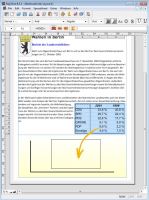 Here again, create a new container – however, this time of the type Graph. Then simply drag & drop the selected spreadsheet cells onto the empty graph container. From a variety of chart types, which are offered in a gallery overview, simply select a suitable type and – voilà – the desired graph is finalized. Of course you can then individually determine legend and numerical labels, as well as the formatting of the other graph components.
Sometimes, especially with more complex requirements, it is advisable to create a graph by dragging a rectangle, and assign a type before you insert the data values. There are two possibilities to do this:
- A click on the “Append Series” button opens the formulas palette, which allows you to link to the values of a spreadsheet by clicking in the spreadsheet, selecting the desired cells, and finally confirming the referenced cell addresses in the palette. Done!
- Just as well, you could directly enter constant number values and their corresponding unique identifiers in the formulas palette to provide the required graph data, instead of making references to the spreadsheet cells.
The specific feature of RagTime is that it offers, for any task and any individual work strategy, an appropriate processing solution.

RagTime.de Development GmbH
Feldriethe 4
30826 Garbsen
Germany
Tel.: +49 5131 70 93 6-0
Contact us by e-mail