Forms
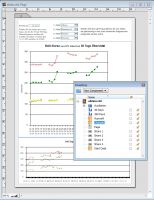 RagTime has many tools which facilitate the creation of individual forms. Fixed and recurring design elements are created in a master layout. Variable elements such as text, tables and spreadsheets as well as drop-down lists, buttons and checkboxes can be realized individually, via a master layout, in one or more layouts. The stationery pad, a special RagTime storage format for forms, allows tearing off a new (empty) form that is filled in and saved under an individual name.
RagTime offers you various assistance when creating and editing forms:
- Quick and easy realization thanks to form templates such as receipts, reports, price lists, timetables, calendar sheets, etc., for standardized process flows
- Easy creation of secure forms by individually definable protected areas within a form
- Efficient creation of multiple-page forms, with master layouts for document wide uniform elements
- Easy layouting of interactive online forms by use of drop-down lists, checkboxes and buttons
- Easy realization of PDF forms to be filled out in Adobe® Acrobat® Reader
- Easy creation of easy-to-understand forms thanks to explanatory texts, which are write protected and non-printing elements
Some examples on forms in RagTime:
(Click on thumb to open larger view)
|
|
|
|


Contact

RagTime.de Development GmbH
Feldriethe 4
30826 Garbsen
Germany
Tel.: +49 5131 70 93 6-0
Contact us by e-mail
Sales News


Tips & Tricks